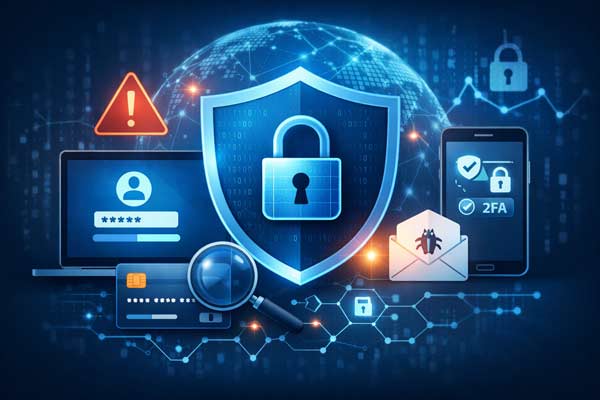

The strength of the Long Gray Line is built on trust—making it a target for increasingly sophisticated email scams. Cybercriminals increasingly target nonprofits, schools, and businesses through fraudulent email campaigns designed to steal login credentials, personal information, or money. Emails may falsely appear to be from someone you know or individuals in leadership positions or organizations you are affiliated with.
This type of scam is often called display name spoofing. It happens when a scammer uses a familiar name in the “from” field to make an email appear trustworthy, even though the actual sending address is not connected to the organization or person. These messages may prompt recipients to log in to a fake portal, click a suspicious link, or respond to an urgent request.
Because these emails are sent from outside an organization, there are limits to the technical controls that can stop them entirely. That makes awareness and careful review the best defense.
How to Recognize a Suspicious Email
Be cautious if an email:
- Uses a familiar name, but the actual sender address is unfamiliar or misspelled
- Creates a sense of urgency or pressure to act quickly
- Asks you to click a link, open an attachment, or sign in through a portal
- Requests passwords, personal financial information, wire transfers, or gift cards
- Feels unusual, unexpected, or inconsistent with past communication
How to Protect Yourself
To reduce risk and protect both your information and the broader West Point community, keep these guidelines in mind:
Verify the sender.
Always check the full email address, not just the display name. Scammers often use names you recognize with look-alike or external addresses.
Think before you click.
Hover over links before clicking to preview the destination. If the URL looks unfamiliar or suspicious, do not click.
Do not open unexpected attachments.
Attachments can be used to deliver malicious files, especially when they are unsolicited or unexpected.
Be skeptical of urgency.
Phishing emails often try to create panic or a false sense of crisis to pressure quick action.
Never share sensitive information by email.
WPAOG leadership will never ask for your password, gift cards, or sensitive financial information through email.
How to Verify a Message
If you are unsure whether a message is legitimate, do not reply directly to the email. Instead, contact the supposed sender through a separate, trusted channel, such as:
- Starting a new email to their official address
- Calling a known phone number
- Visiting the official website directly (westpointaog.org)
Use the S.L.A.M. Method
A simple way to remember key phishing warning signs is S.L.A.M.:
Sender — Verify the actual email address, not just the name.
Links — Hover before clicking to check where they lead.
Attachments — Do not open files you were not expecting.
Message — Be wary of requests involving urgency, money, credentials, or sensitive information.
When in Doubt, Pause and Verify
Cyber threats continue to evolve, and phishing attempts are becoming more sophisticated. The best response is to slow down, avoid clicking or replying, and verify the request through a trusted channel.
What Should I Do If I Clicked a Suspicious Link?
If you clicked a link in a suspicious email, there’s no need to panic—but it’s important to act quickly.
If you did not enter any information:
- Close the page immediately
- Run a security scan on your device
- Continue to monitor for unusual activity
If you entered login credentials or personal information:
- Change your password right away (and anywhere else you used the same password)
- Enable multi-factor authentication (MFA) on your accounts
- Monitor your email, financial accounts, and other logins for suspicious activity
If you downloaded an attachment:
- Run a full antivirus or security scan on your device
- Contact your IT provider if you notice unusual behavior
When to Take Extra Precautions
If the information entered included financial details or sensitive personal data, consider contacting your bank or relevant institutions for additional protection.
Your vigilance helps protect not only your own information, but the entire Long Gray Line community.